Client hub AI chatbot
Client hub AI chatbot
AI Product Design
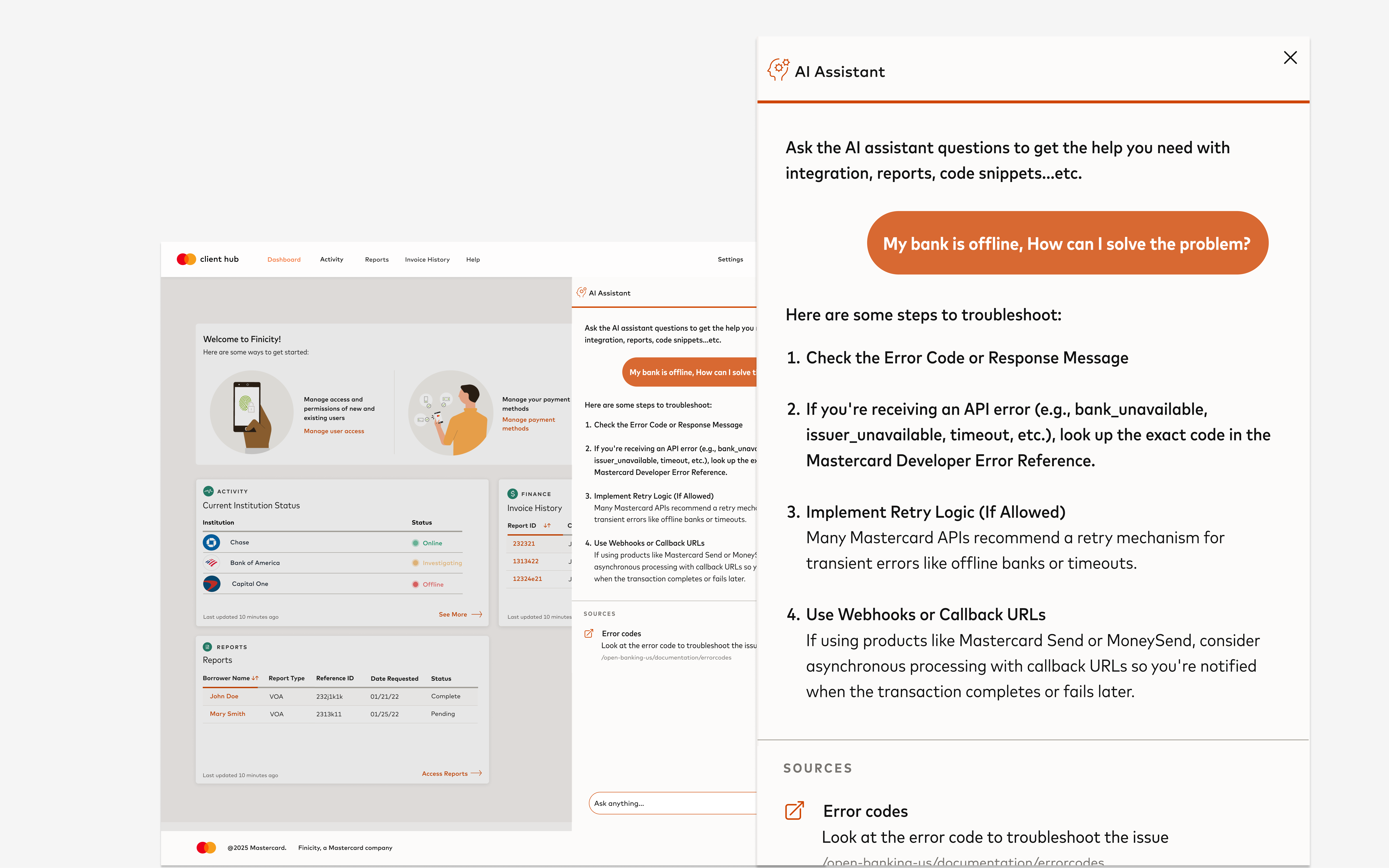
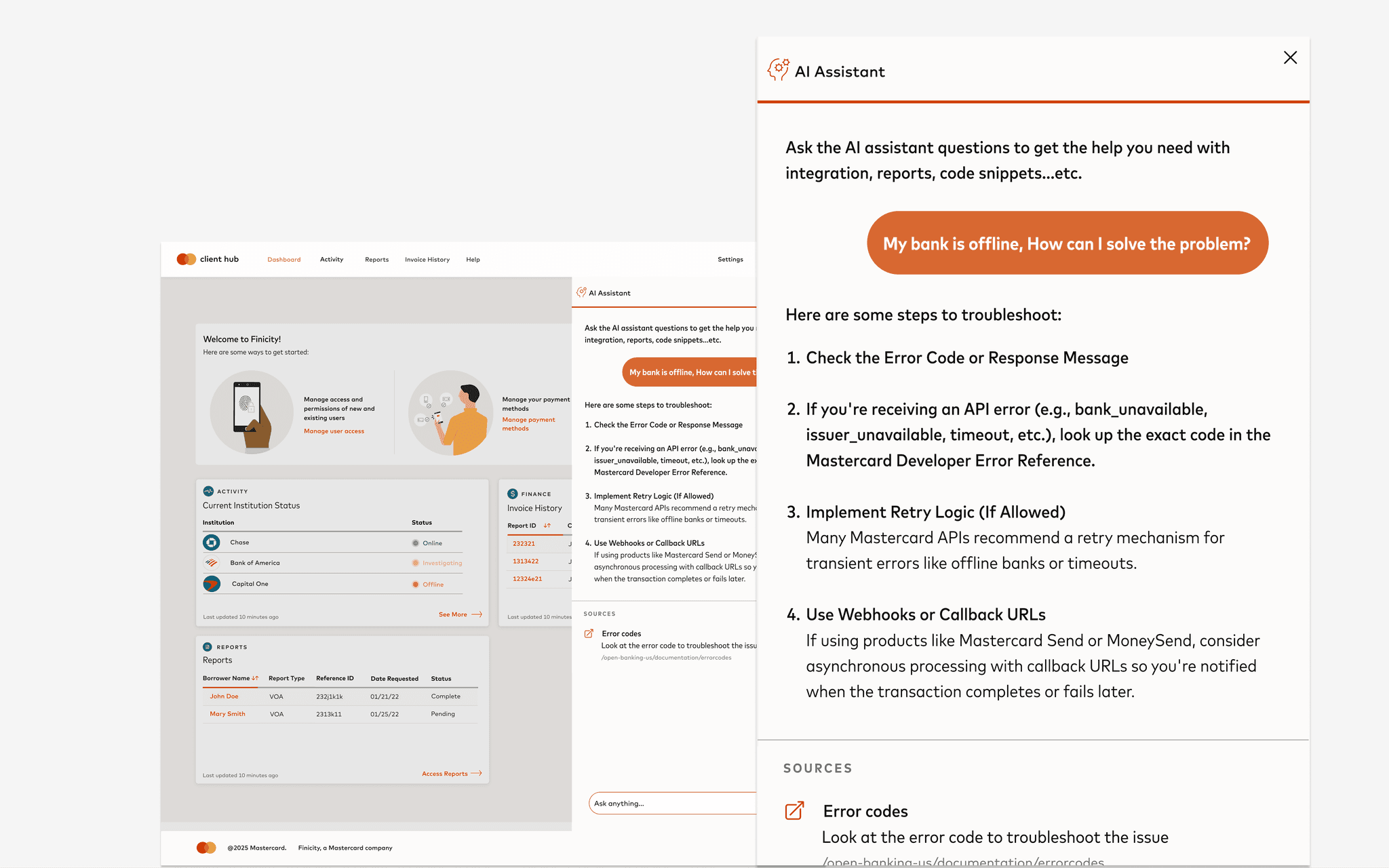
My Role
Product Designer
Launch Date
Spring 2024
Launch Date
Spring 2024
Tools Used
Tableau, Figma, Jira
Overview
When everyone started talking about “AI integration,” the conversation quickly became about technology — not people.
At Mastercard, I saw an opportunity to shift the focus back to what truly matters: helping users do their work better.
B2B users rely on Client Hub to manage integrations, monitor financial institutions, and access reports critical to their business. Yet, they struggled to find documentation, understand system issues, and often escalated problems that could have been solved on their own.
I led the end-to-end design of an AI-powered search and assistance experience that empowers users to self-resolve issues, surface real-time insights, and navigate Client Hub with confidence — turning “AI” from a buzzword into something genuinely useful.
When everyone started talking about “AI integration,” the conversation quickly became about technology — not people.
At Mastercard, I saw an opportunity to shift the focus back to what truly matters: helping users do their work better.
B2B users rely on Client Hub to manage integrations, monitor financial institutions, and access reports critical to their business. Yet, they struggled to find documentation, understand system issues, and often escalated problems that could have been solved on their own.
I led the end-to-end design of an AI-powered search and assistance experience that empowers users to self-resolve issues, surface real-time insights, and navigate Client Hub with confidence — turning “AI” from a buzzword into something genuinely useful.
The problem
48%
48%
of user feedback cited difficulty
finding documentation or key features
of user feedback cited difficulty
finding documentation
or key features
of user feedback cited difficulty
finding documentation or key features
📝
📝
No proactive communication
about product/FI issuess
No proactive communication
about product/FI issuess
Repetitive questions consumed
tech support bandwidth
Repetitive questions consumed
tech support bandwidth
🧑🏻💻
🧑🏻💻
No search bar.
Users only see a small ‘Help’ link, making it hard to find what they need.
No search bar.
Users only see a small ‘Help’ link,
making it hard to find what they need.

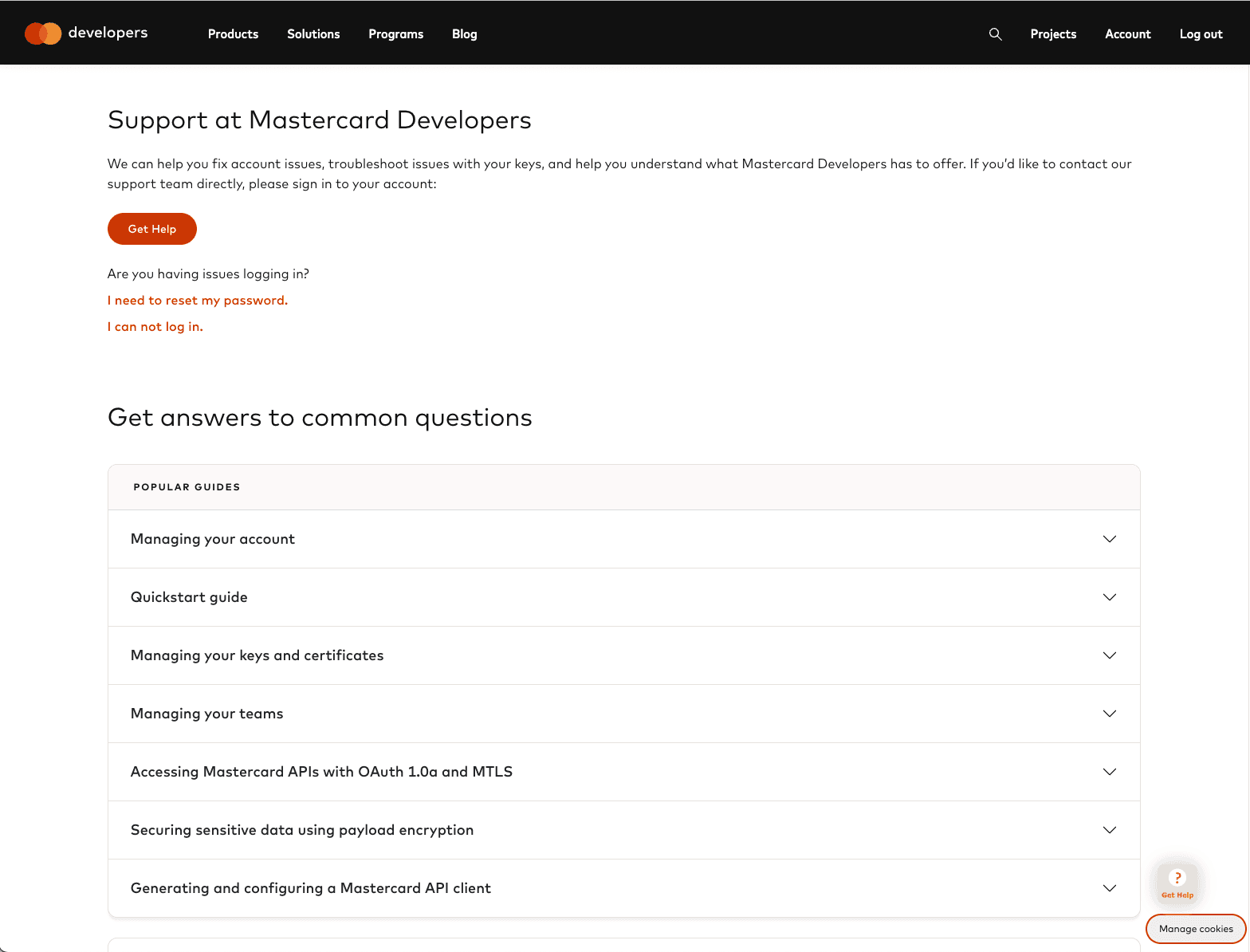
Clicking ‘Help’ opens the Mastercard Developer Portal
in a new tab, breaking the flow
Clicking ‘Help’ opens the Mastercard Developer Portal
in a new tab, breaking the flow
As “AI” became a company focus, the question wasn’t how to use AI — it was why. What real problem could intelligent automation solve for our users?
Design Goal
Create a conversational interface that helps users quickly find answers, resolve errors, and make informed decisions — without needing to contact support.
Discovery
Competitive Analysis-
We analyzed Plaid, Stripe, and Microsoft Copilot to identify industry benchmarks:
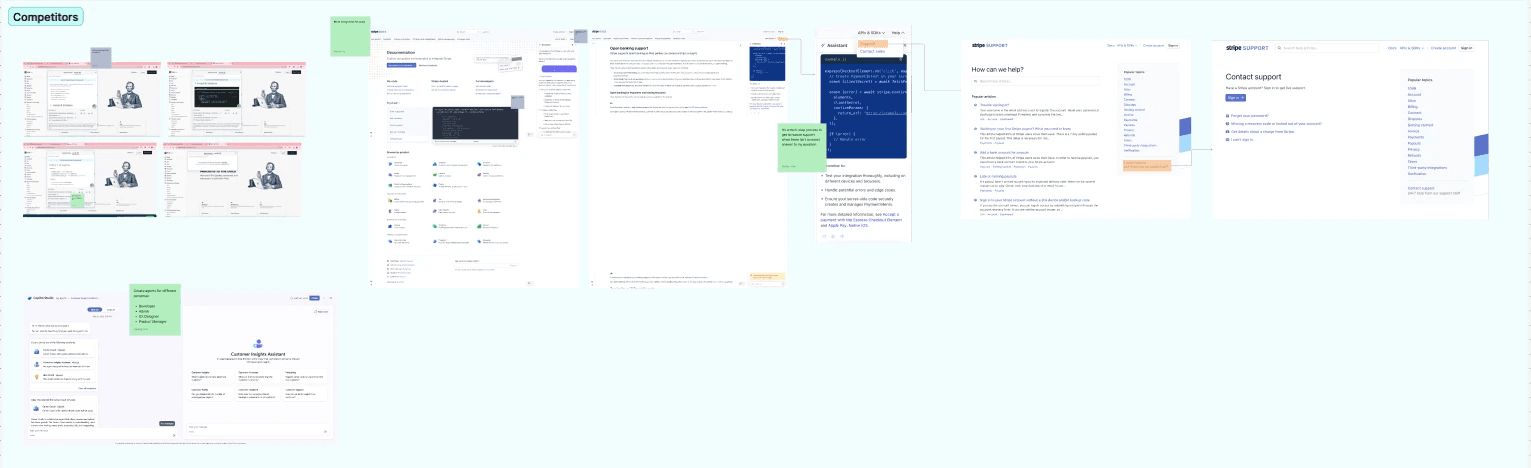
Chatbots often redirected users to
external links, breaking the flow.
Chatbots often redirected users to
external links, breaking the flow.
🔗
Support interactions required too
many steps to reach a human
💬
💬
Support interactions required too
many steps to reach a human
Support interactions required too
many steps to reach a human
👩🏻🏫
Some offered role-based experiences,
tailoring responses to developers,
admins, or PMs
Some offered role-based experiences,
tailoring responses to developers,
admins, or PMs
Our insight: the best AI assistance feels embedded, immediate, and contextual — not like a detached “bot.”
Survey-
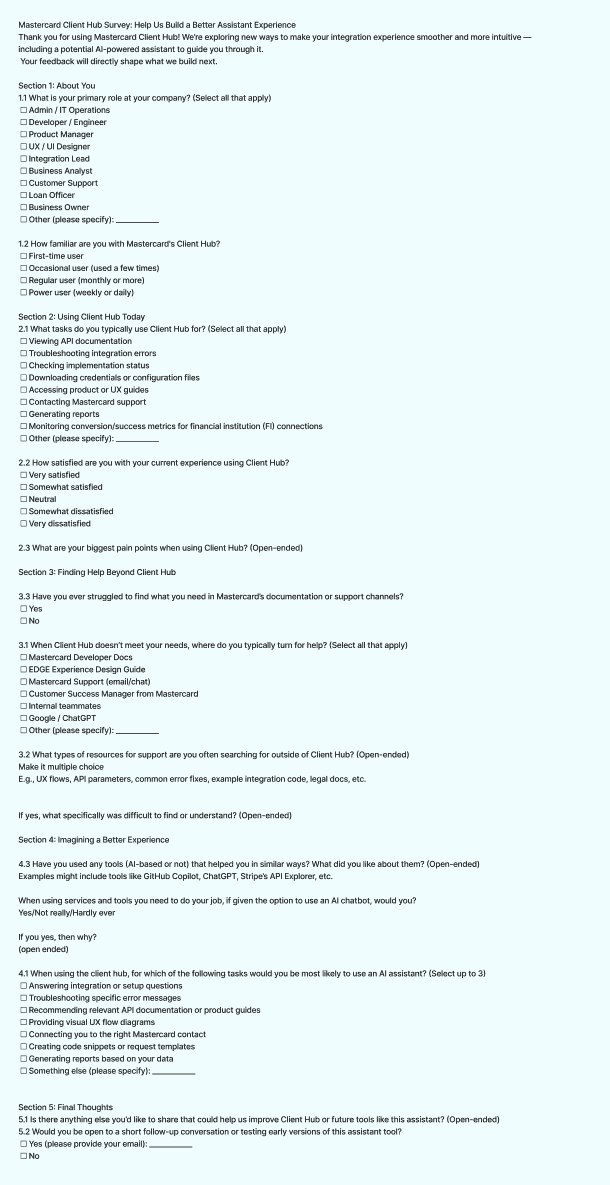
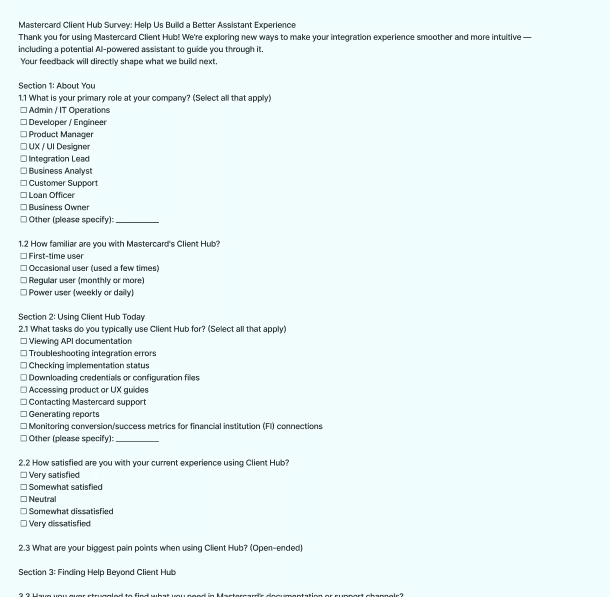
To better understand how users experience Client Hub — and where an AI assistant could help — I created and distributed a short survey to active users.
What do users struggle with in Client Hub?
Where do they go when they need help?
Would they find value in an AI assistant?
Survey-
To better understand how users experience Client Hub — and where an AI assistant could help — I created and distributed a short survey to active users.
What do users struggle with in Client Hub?
Where do they go when they need help?
Would they find value in an AI assistant?
Result-
62% of users said it’s hard to find what they need in Client Hub or Mastercard docs.
70%+ said they would use an AI assistant inside Client Hub
Top use cases:
Troubleshooting errors
Finding the right documentation
Answering setup/integration questions
“I don’t want to leave the platform or guess what to search for.” — Survey respondent
Result-
62% of users said it’s hard to find what they need in Client Hub or Mastercard docs.
70%+ said they would use an AI assistant inside Client Hub
Top use cases:
Troubleshooting errors
Finding the right documentation
Answering setup/integration questions
“I don’t want to leave the platform or guess what to search for.” — Survey respondent
These insights confirmed that discoverability, not intelligence, was the real problem.
Exploration
Finding the Best Interface-
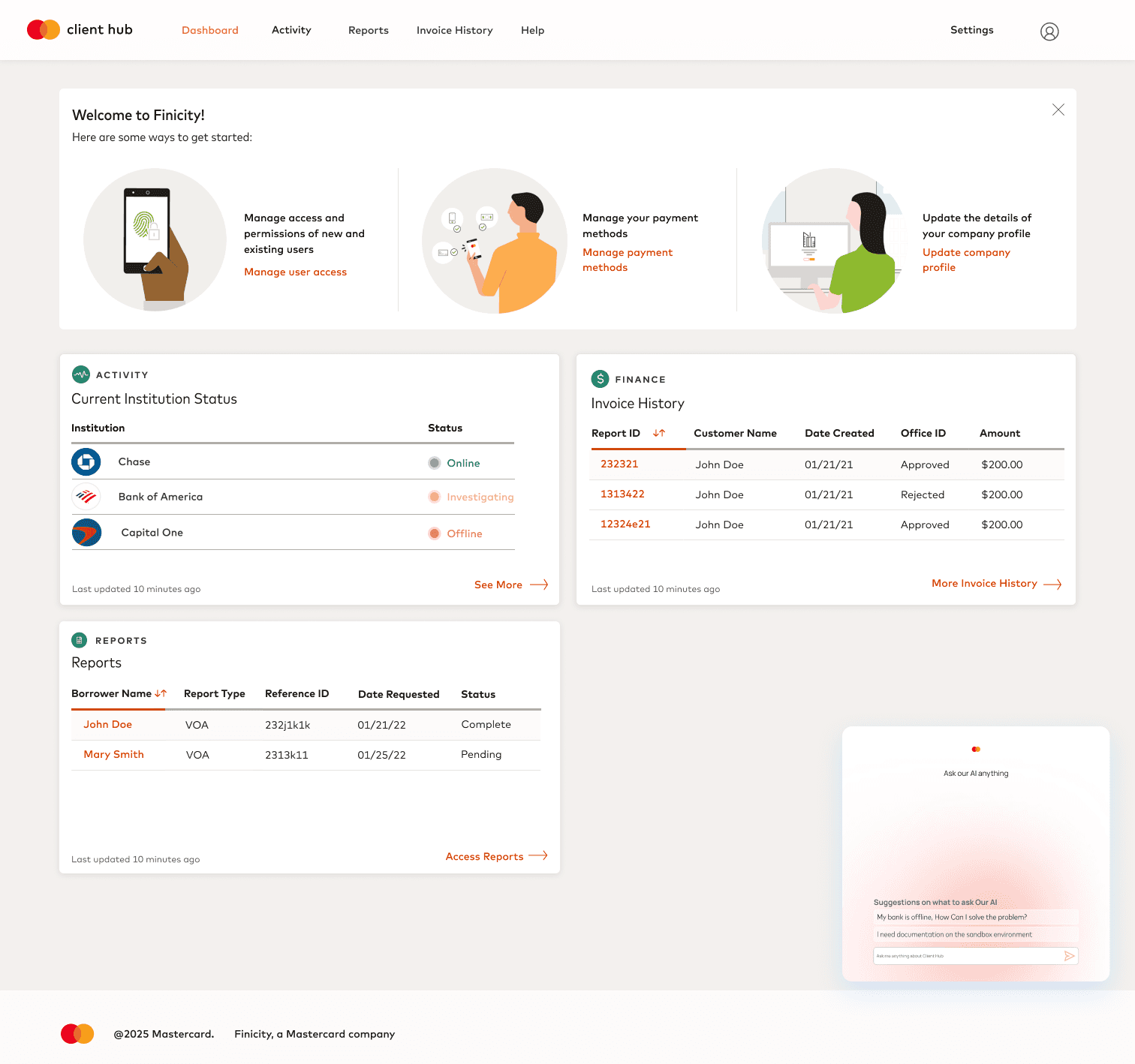
Option 1: Chatbot in Bottom Corner
Option 1: Chatbot in Bottom Corner
When I first heard "Chatbot," I immediately imagined a bottom-corner interface. However, through research, I realized potential challenges:
Conflict:
Passive experience — users have to actively open it and know what to ask.
Hard to discover if users don’t know what to ask
Easy to build, but not ideal for goal-oriented tasks — users looking for quick, structured answers might find it inefficient.
When I first heard "Chatbot," I immediately imagined a bottom-corner interface. However, through research, I realized potential challenges:
Conflict:
Passive experience — users have to actively open it and know what to ask.
Hard to discover if users don’t know what to ask
Easy to build, but not ideal for goal-oriented tasks — users looking for quick, structured answers might find it inefficient.
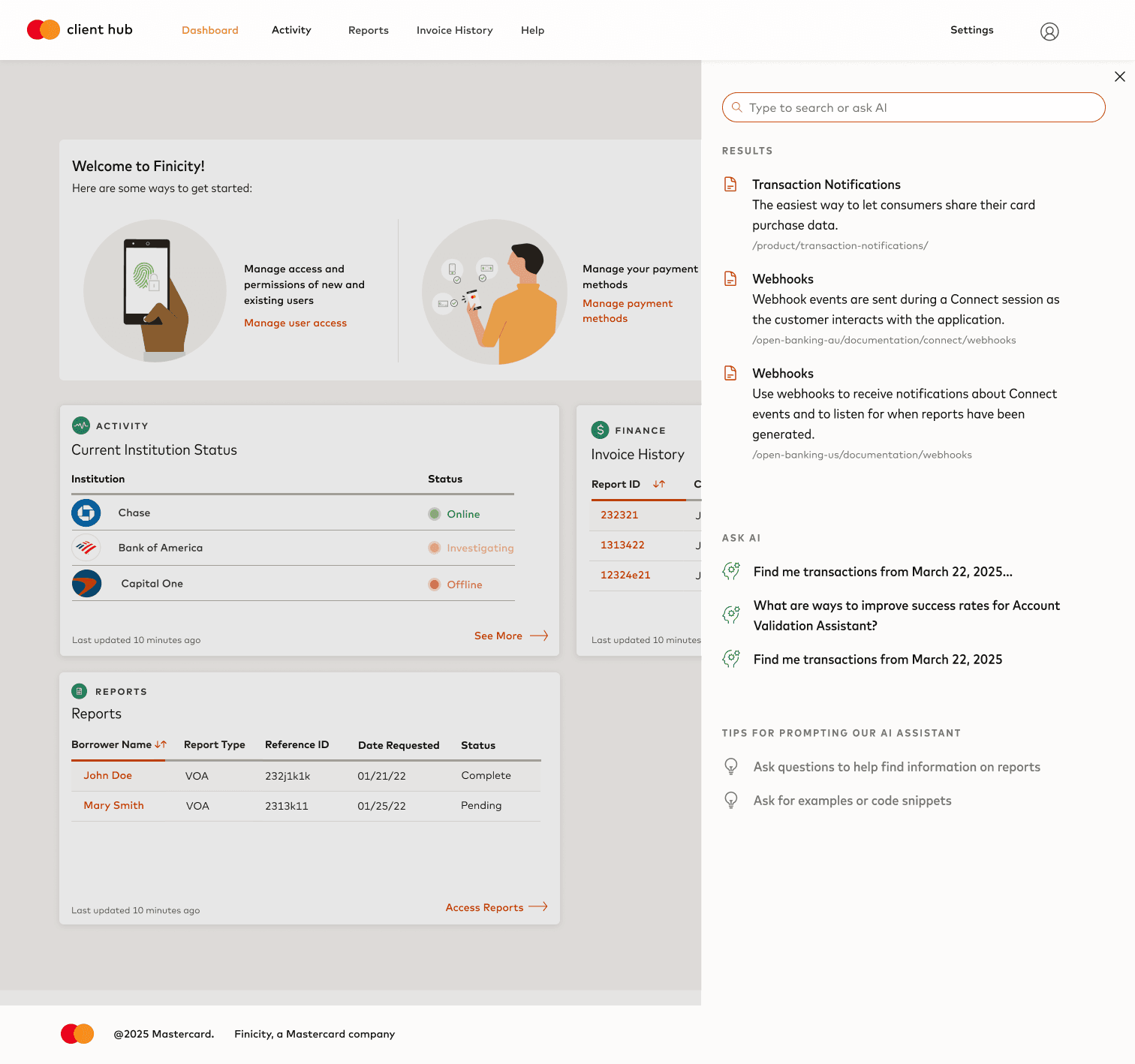
Option 2: Search Bar with AI Assistant
Option 2: Search Bar with AI Assistant
Search bar placed at the top of Client Hub
Supports both keywords and full questions
Active, visible, and easy to discover
Blends traditional search with AI responses
Outcome: More intuitive and aligned with how users approach documentation and troubleshooting. This option was selected for MVP.
Search bar placed at the top of Client Hub
Supports both keywords and full questions
Active, visible, and easy to discover
Blends traditional search with AI responses
Outcome: More intuitive and aligned with how users approach documentation and troubleshooting. This option was selected for MVP.
Why We Chose Search with AI
Survey results showed users wanted to “find things faster” and “not dig through menus.”
The AI-powered search bar made support feel like a built-in tool — not an add-on.
“I’d rather type in a search bar than talk to a chatbot.” — Client Hub user
Final Design
AI Search bar
An intelligent yet familiar entry point where users can search or ask questions naturally.
AI Search bar
An intelligent yet familiar entry point where users can search or ask questions naturally.
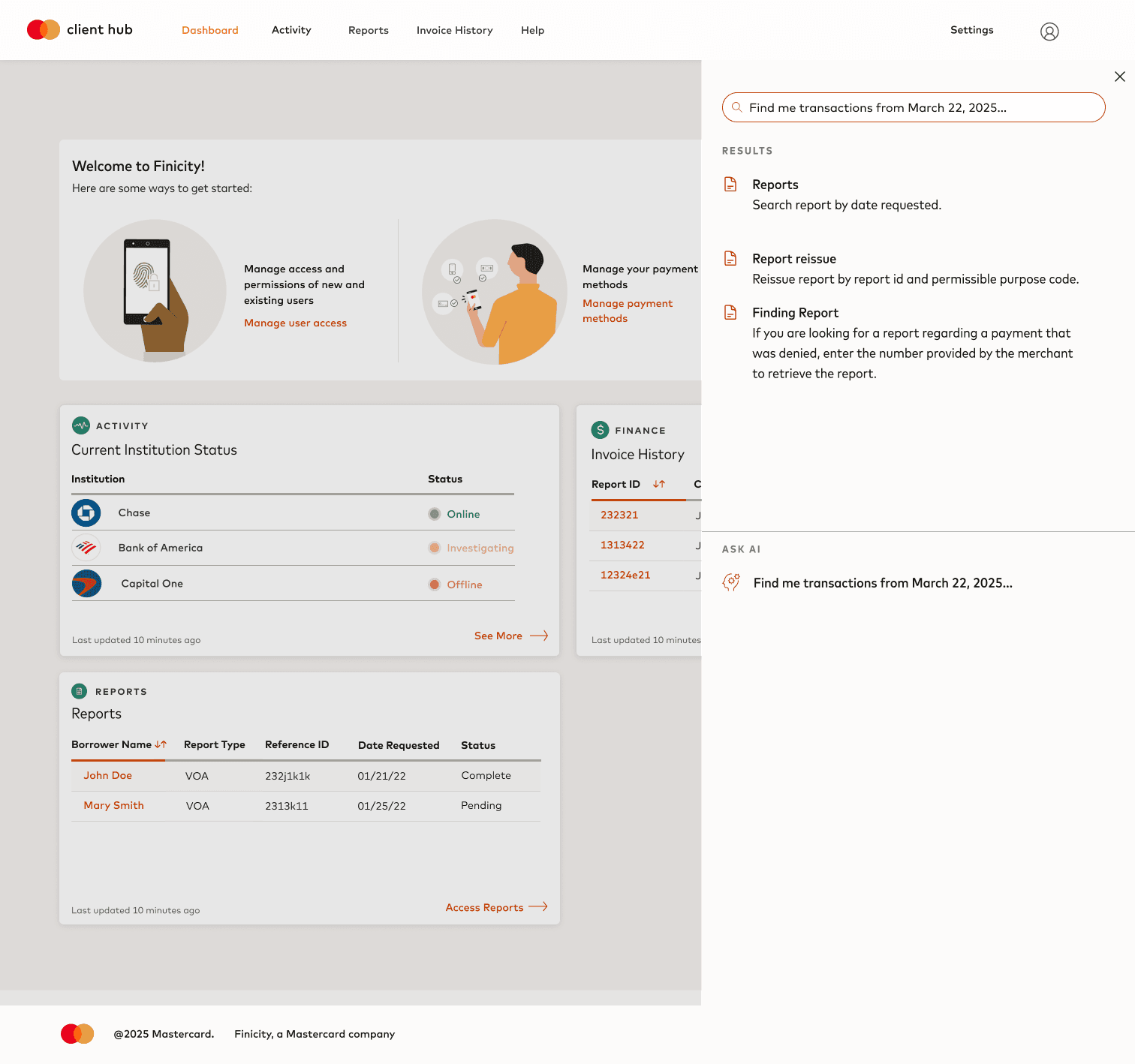
Search Results
AI surfaces relevant docs, known issues, and troubleshooting steps within context — helping users minimize fraud risk and optimize performance.
Search Results
AI surfaces relevant docs, known issues, and troubleshooting steps within context — helping users minimize fraud risk and optimize performance.
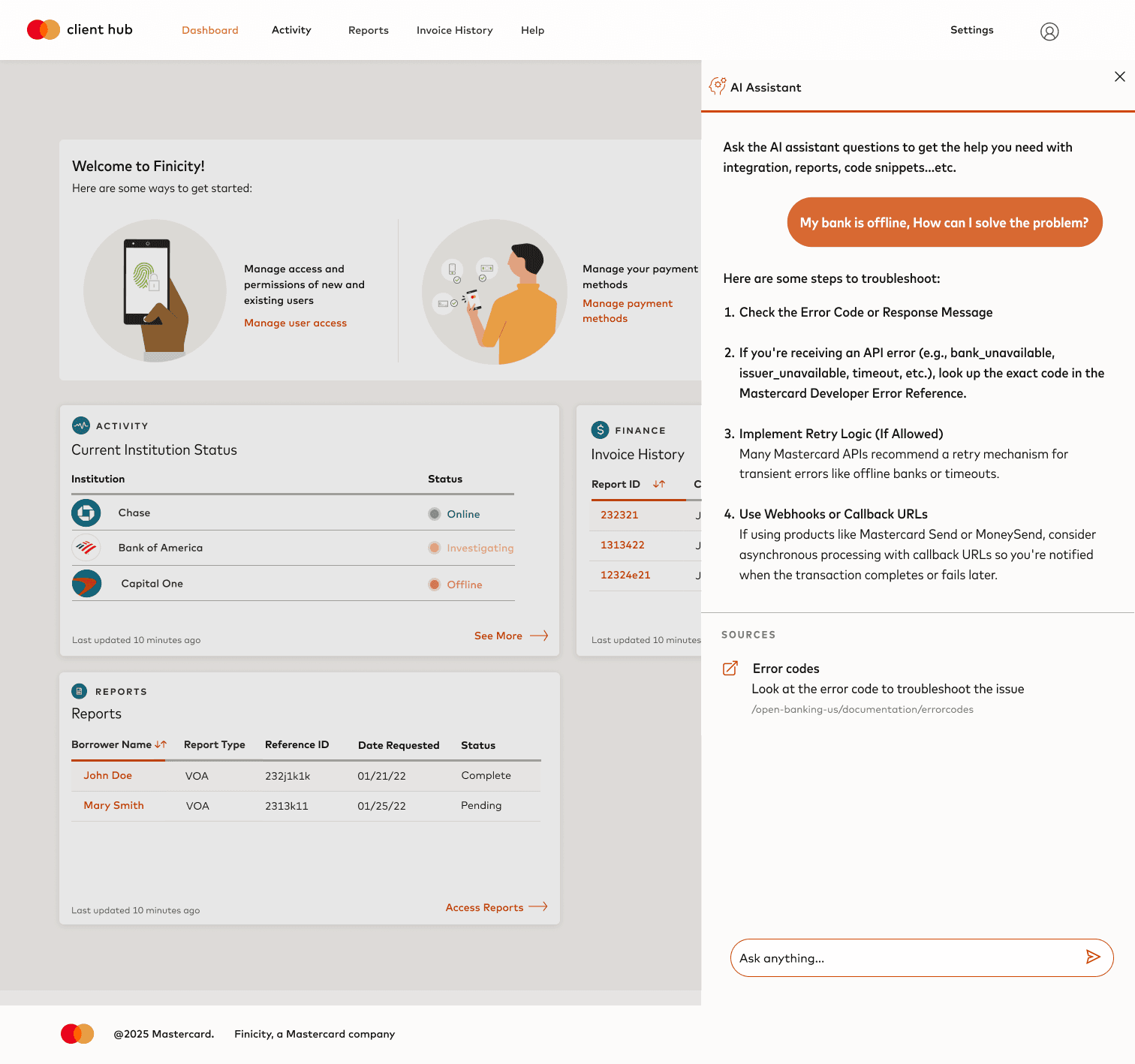
Conversation with AI Chatbot
For complex queries, users can enter a deeper guided mode to troubleshoot with the AI assistant, supported by real-time system insights.
Conversation with AI Chatbot
For complex queries, users can enter a deeper guided mode to troubleshoot with the AI assistant, supported by real-time system insights.
Impact
📈34%
📈34%
faster task completion for
documentation and troubleshooting
faster task completion for
documentation and troubleshooting
fewer low-priority support tickets
in the first month
fewer low-priority support tickets
in the first month
⬇️ 22%
⬇️ 22%
Support teams could focus on complex
cases, improving overall service quality
Support teams could focus on complex
cases, improving overall service quality
💬
💬
Support teams could focus on
complex cases, improving
overall service quality
© 2025 All rights reserved.
© 2022–2024
Projects by Colleen Park
Connect
Dribbble